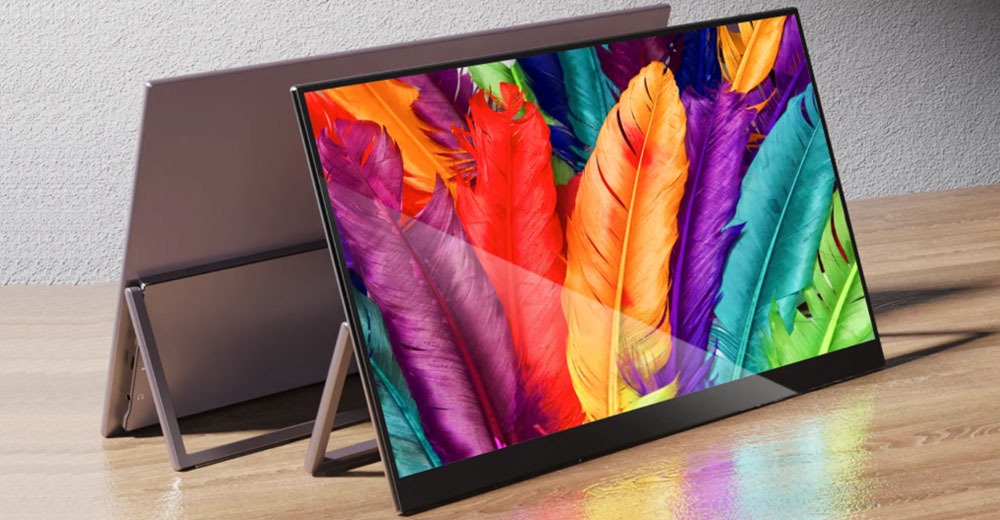
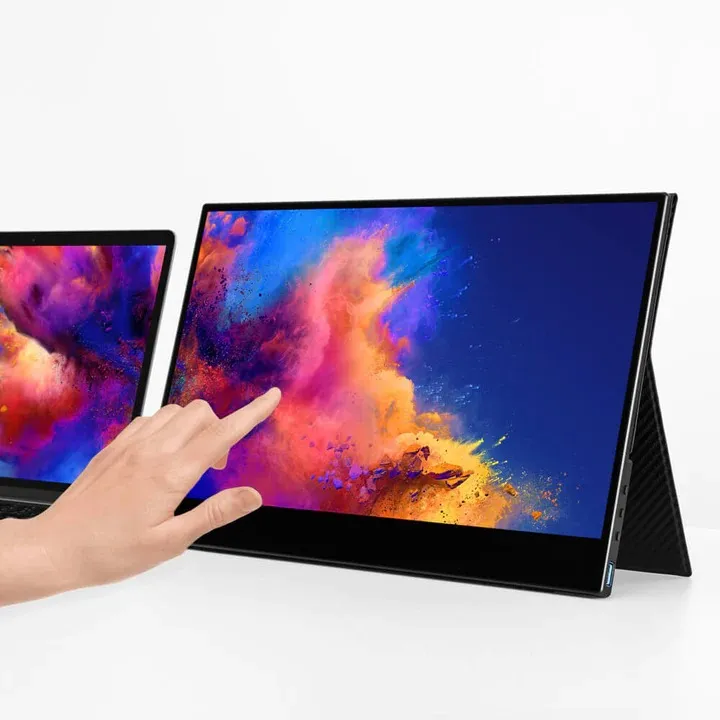
Touchscreen portable monitors are a great choice for professionals, gamers, and travelers who need extra screen real estate on the go. Adding a touchscreen interface makes scrolling, drawing, presenting, or multitasking easier and more intuitive, without the need for a mouse or keyboard.
However, one concern still persists:
Does adding touchscreen functionality degrade image quality or brightness compared to a non-touch portable monitor?
This article addresses the question in detail, covering display technology, brightness, color accuracy, reflections, power consumption, and real-world usage. We will also present a table comparing touchscreen vs non-touch portable displays and answer frequently asked questions at the end.
How Does a Touchscreen Portable Monitor Work?
Before we can dive into the question of whether a touchscreen monitor loses brightness or reduces image quality, it’s useful to know how a touchscreen monitor is constructed.
Typically, a touchscreen portable monitor consists of:
The base LCD or LED display panel
The backlight system (LED)
The digitizer layer for touch input
The protective glass or surface coating
The touch digitizer layer is placed on top of the display panel, allowing the monitor to sense and register the input of fingers or a stylus. It is the presence of this extra layer that has historically led to concern about brightness reduction or image degradation.
Does the Touch Layer Diminish Brightness?
The Short Answer
Yes, slightly—but not usually enough to care in real use.
The Technical Explanation
The touch layer absorbs or reflects a small amount of light that would otherwise be emitted from the display panel. In older touchscreen technologies, this effect was more pronounced. However, in the context of modern portable HDMI monitors, manufacturers use laminated glass and optimized digitizers that minimize this loss.
In terms of numbers:
Brightness loss is typically 5–10%
A difference that most users do not perceive indoors
High-brightness panels can easily overcome this
In practice, a good 4K portable monitor with touchscreen support is likely to feature a higher peak brightness specification to compensate for the presence of the touch layer.
Image Quality: Is Sharpness or Clarity Affected?
Resolution Is Unchanged
Touchscreen functionality has no effect on the resolution of the panel. A 4K touchscreen panel still has the same pixel density and delivers the same sharpness as a non-touch 4K panel.
As examples:
A 15.6-inch 4K portable monitor has ultra-high pixel density
Text looks crisp
Images and videos remain detailed
Color Accuracy
The majority of touchscreen travel monitors use IPS panels with wide color gamuts. The touch layer does not itself distort the color reproduction of the panel. Any perceived difference in color quality is due to:
The factory calibration
The quality of the panel
The surface finish (glossy or matte)
In a professional-grade portable monitor, color accuracy is still very high even with touchscreen support.
Contrast Ratio and Black Levels
A related concern is the effect of the touchscreen layer on contrast.
The truth is:
The touch layer has negligible impact on contrast ratio. Contrast is primarily a factor of:
Panel type (IPS, OLED, Mini-LED, etc.)
The backlight quality
Local dimming (if available)
A touchscreen portable monitor with a quality IPS panel still provides:
Deep blacks (relative to IPS standards)
Consistent contrast
Wide viewing angles
Glossy vs Matte: A Bigger Factor Than Touch
When users think a touchscreen monitor looks “worse,” the culprit is often the screen finish, not the touch functionality itself.
Glossy Touchscreen Displays
Pros
Vibrant colors
Higher perceived contrast
Excellent for media and creative work
Cons
Reflects ambient light
Can look less bright in direct sunlight
Matte Touchscreen Displays
Pros
Less glare
Better suited for office and travel use
Cons
Colors are slightly less punchy
In many cases, touchscreen portable monitors are glossy by default, which can give the impression of a dimmer display in bright environments.
Power Consumption and Brightness Stability
Touchscreens draw slightly more power due to:
The touch digitizer layer
Touch processing circuitry
However, this does not translate to any direct reduction in brightness. High-quality portable HDMI monitors are very efficient in their power management, and should maintain stable brightness regardless of being powered by:
Laptop USB-C
Power bank
Wall adapter
If brightness drops, it is more likely due to:
Insufficient power input
Incorrect power-saving settings
Low-quality or mismatched cables
Touchscreen vs Non-Touch Portable Monitors: A Comparison Table
Feature
Touchscreen Portable Monitor
Non-Touch Portable Monitor
Image Resolution
Same (FHD, 2K, 4K options)
Same
Brightness
Slightly lower (5–10% loss)
Slightly higher
Color Accuracy
Excellent (IPS panels)
Excellent
Contrast Ratio
No significant difference
No significant difference
Sharpness
Identical at same resolution
Identical
Screen Layers
Display + touch digitizer
Display only
Power Consumption
Slightly higher
Slightly lower
Ease of Use
Intuitive, gesture-based
Keyboard/mouse dependent
Best For
Creative work, presentations, tablets-like use
Gaming, basic productivity
Price
Slightly higher
Slightly lower
Real-World Use Cases: Does It Actually Matter?
For Office and Productivity
Touchscreen portable monitors shine when:
Scrolling through documents
Pinching-to-zoom on spreadsheets
Making annotations directly on the screen
Brightness loss is a non-issue indoors.
For Creative Professionals
Designers, photographers, and video editors will benefit from:
Directly interacting with content
Having accurate color (on modern panels)
Stylus support (on some models)
Image quality stays the same when using a high-end 4K portable monitor.
For Gaming
Gamers will likely prefer non-touch monitors for:
Slightly higher brightness
Access to faster refresh rate options
Matte screen finishes
However, touch functionality does not reduce clarity or resolution in motion.
For Travel and Outdoor Use
In bright environments:
The screen finish matters more than touch
A higher brightness rating is more important
Anti-glare coatings make a huge difference
A well-built travel monitor with touchscreen can still do a good job if brightness is sufficient.
Touchscreen vs Non-Touch Portable Monitors: Myths
Myth 1: Touchscreens Always Look Dim
False. Modern displays compensate with higher brightness panels.
Myth 2: Touchscreens Reduce Resolution
False. Resolution is defined by the panel, not the touch layer.
Myth 3: Colors Are Washed Out on Touch Displays
False. Color performance depends on panel quality, not touch capability.
Myth 4: Touch Monitors Are Only for Tablets
False. They are widely used for laptops, consoles, and productivity setups.
How to Pick a High-Quality Touchscreen Portable Monitor
In order to avoid any noticeable loss of image quality or brightness, look for these features:
IPS or OLED panels
High brightness rating (300 nits or more)
Laminated glass design
Wide color gamut support
Strong power delivery
A premium portable HDMI monitor with touchscreen functionality can provide the same visual experience as a non-touch model, while adding versatility.
Frequently Asked Questions (FAQs)
Does a touchscreen portable monitor always reduce brightness?
No. There may be a small reduction due to the touch layer, but modern monitors compensate with brighter backlights, making the difference barely noticeable.
Is image quality worse on a touchscreen monitor?
No. Resolution, sharpness, and color accuracy stay the same when the panel quality is good.
Are touchscreen portable monitors bad for outdoor use?
Not necessarily. Brightness level and screen finish (matte vs glossy) matter more than touch capability.
Do touchscreen monitors consume more power?
Yes, slightly. However, the increase is minimal and does not noticeably affect performance or brightness when properly powered.
Is a touchscreen 4K portable monitor worth it?
If you care about intuitive control, creative workflows, or presentations, a touchscreen 4K portable monitor is absolutely worth it.
Will touch input affect gaming performance?
Touch functionality does not reduce resolution or clarity, but gamers may prefer non-touch models for refresh rate and anti-glare reasons.
Can I disable touch if I don’t need it?
Yes. Most operating systems allow you to disable touch input while retaining full display quality.
Final Verdict
A touchscreen portable monitor does not measurably reduce image quality or brightness if it is built with modern display technology. Any minor brightness loss due to the touch layer is usually mitigated by better backlighting and panel design. In practical usage, things like the screen finish, panel quality, and brightness rating have a far greater impact on visual performance.
For users who value flexibility, creativity, and ease of interaction, touchscreen portable monitors offer the best of both worlds: excellent image quality and intuitive control without real compromise.